
Affiliate visuals are critical for boosting engagement and click-through rates in affiliate marketing. From banners to videos, well-designed visuals help you stand out and build trust with your audience. You don’t need to be a professional designer or spend a fortune to create these assets – tools like Canva, Piktochart, Lumen5, Snappa, and Adobe Photoshop make it simple and affordable to design visuals for blogs, social media, and ads.
Here’s a quick breakdown of the top tools:
- Canva: Ideal for beginners with its drag-and-drop interface and free templates. Pro plan costs $14.99/month for advanced features like Magic Resize and Brand Kit.
- Adobe Photoshop: Perfect for advanced users needing precision and flexibility. Plans start at $9.99/month.
- Piktochart: Great for turning data into infographics and charts. Paid plans start at $14/month.
- Lumen5: AI-powered video creation, turning blog posts into videos. Free and paid options available.
- Snappa: Quick and easy graphics creation for social media and blogs. Pro plans start at $10/month.
Each tool caters to different needs, from quick designs to detailed custom visuals. Start with one or two tools based on your goals, and test what works best for your audience.
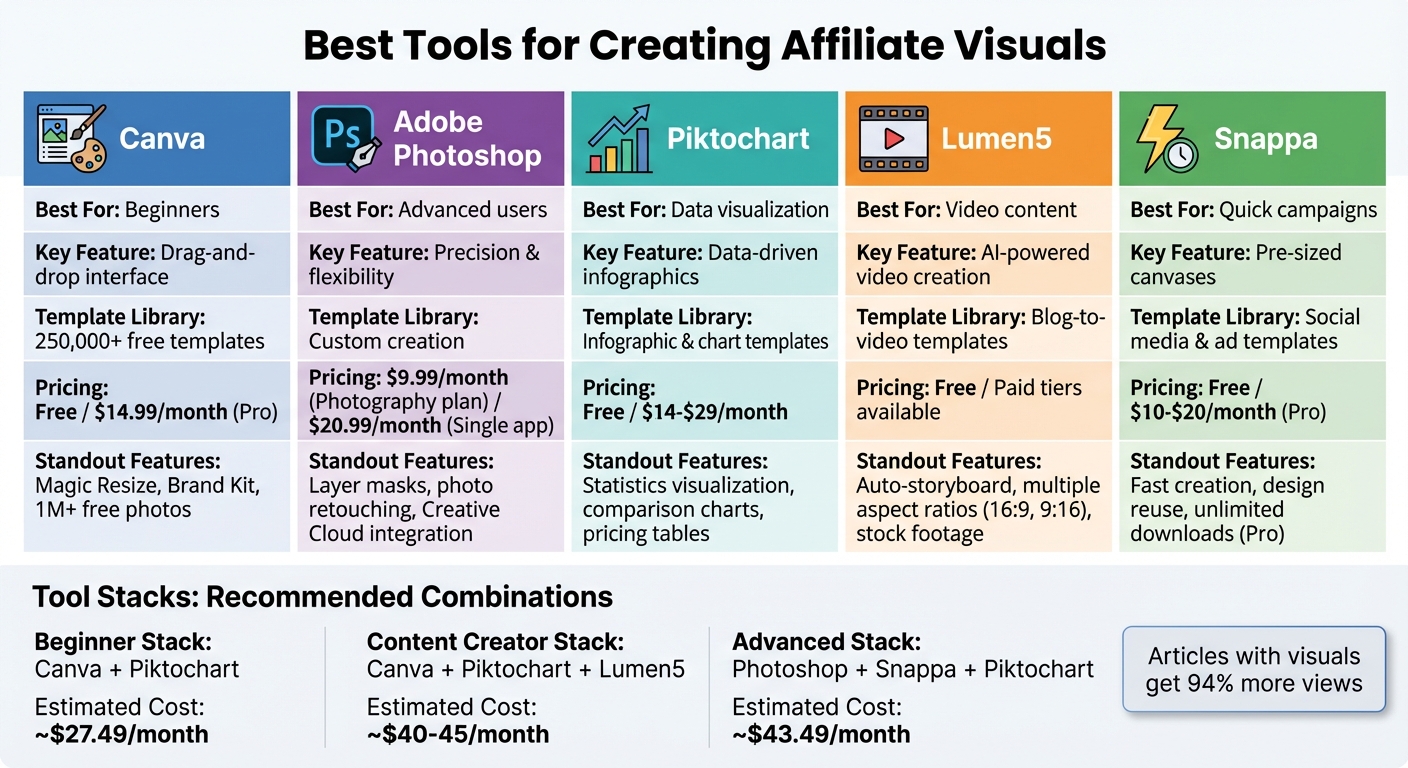
Comparison of Top 5 Affiliate Visual Creation Tools: Features and Pricing
How to Choose Affiliate Visual Tools
Visual Types and Use Cases
To make your affiliate funnel more effective, focus on visual formats that resonate with your audience, like banners, infographics, and short videos. Popular options include display banners, blog images, social media carousels, data-driven infographics, YouTube thumbnails, email headers, and product comparison charts. For instance, if blog reviews are your primary conversion driver, prioritize tools that excel in creating visuals suited for blogs and social media. On the other hand, if your strategy leans heavily on YouTube or TikTok, platforms like Lumen5 can simplify video creation.
Also, ensure the tool you choose supports standard U.S. ad sizes (e.g., 300×250, 728×90), uses USD for pricing, and provides templates tailored to your main channels. This alignment ensures your visuals are optimized to drive affiliate revenue.
Once you’ve identified the right visual formats, it’s time to evaluate the tool’s usability and learning curve.
Ease of Use and Learning Curve
Ease of use is a critical factor, especially if you’re not a professional designer. Look for tools with user-friendly drag-and-drop editors, extensive libraries of pre-designed templates, and simple controls for adjusting text, colors, and image sizes. Platforms designed for beginners often include quick tutorials and starter projects, making it easy to dive in.
Another time-saver? Tools that let you duplicate and tweak high-performing designs instead of starting from scratch. Bonus points if the platform automatically resizes and exports graphics for multiple platforms – this can save you hours of manual adjustments.
Once usability is sorted, dig into pricing and licensing details.
Pricing, Licensing, and Export Options
Compare free plans with paid options that unlock premium features like high-quality exports, advanced templates, and brand kits. Check whether the tool charges per user or workspace and confirm that its licensing allows royalty-free, commercial use without restrictions – especially for reselling or using assets in logos. For example, Adobe Express offers a free plan and a Premium plan for $9.99 per month.
To determine cost efficiency, calculate your monthly visual output and campaign needs. A tool that balances pricing with your production scale can help you manage campaigns more effectively without breaking the bank.
Top Tools for Creating Affiliate Visuals
Canva: All-Purpose Graphic Design
Canva is a go-to tool for affiliate marketers who want to create visuals quickly without needing advanced design skills. Its user-friendly drag-and-drop editor offers access to over 250,000 free templates and more than 1 million free photos, making it easy to design everything from Facebook ads and Instagram posts to YouTube thumbnails and blog headers. Canva also takes the hassle out of formatting by automatically adjusting visuals to fit platform-specific dimensions, such as Instagram (1080×1080), Facebook (1200×628), and standard banners (728×90, 300×250).
For $14.99 per month, Canva Pro unlocks additional features that can simplify your workflow. Tools like the Brand Kit help you maintain consistent logos, colors, and fonts across your designs, while Magic Resize allows you to adapt a single design for multiple formats. Other useful features include a background remover for isolating product images and export options in formats like PNG, JPG, PDF, MP4, or GIF.
| Pros | Cons |
|---|---|
| Easy-to-use interface, perfect for beginners | Limited pixel-level precision compared to advanced tools |
| Huge library of templates for various needs | Overused templates may result in less distinctive visuals |
| Built-in stock photos and branding tools | Features like the background remover and Magic Resize require a Pro subscription |
| Quick creation of multiple banner variations | Some animations and platform-specific tweaks are restricted |
| Cloud-based collaboration for team projects | Recurring cost for premium features |
Adobe Photoshop: High-End Design
Photoshop is the gold standard for those who need complete creative control over their visuals. While tools like Canva are great for quick designs, Photoshop shines in advanced campaigns that require precision. Whether you’re retouching photos, compositing multiple product shots, or creating intricate banner layouts with layer masks and typography, Photoshop gives you the flexibility to craft standout visuals for high-profile campaigns.
In the U.S., the Photography plan (including Photoshop and Lightroom) starts at $9.99 per month, while the single-app Photoshop plan costs about $20.99 per month. Although it’s pricier than beginner-friendly tools, Photoshop’s integration with other Adobe Creative Cloud apps like Illustrator and Premiere Pro makes it a strong choice for marketers managing complex campaigns. For simpler tasks like Facebook ads or social posts, Canva might be more efficient, but Photoshop’s detailed control is unbeatable when your visuals need to make a lasting impression.
Piktochart: Data-Driven Infographics
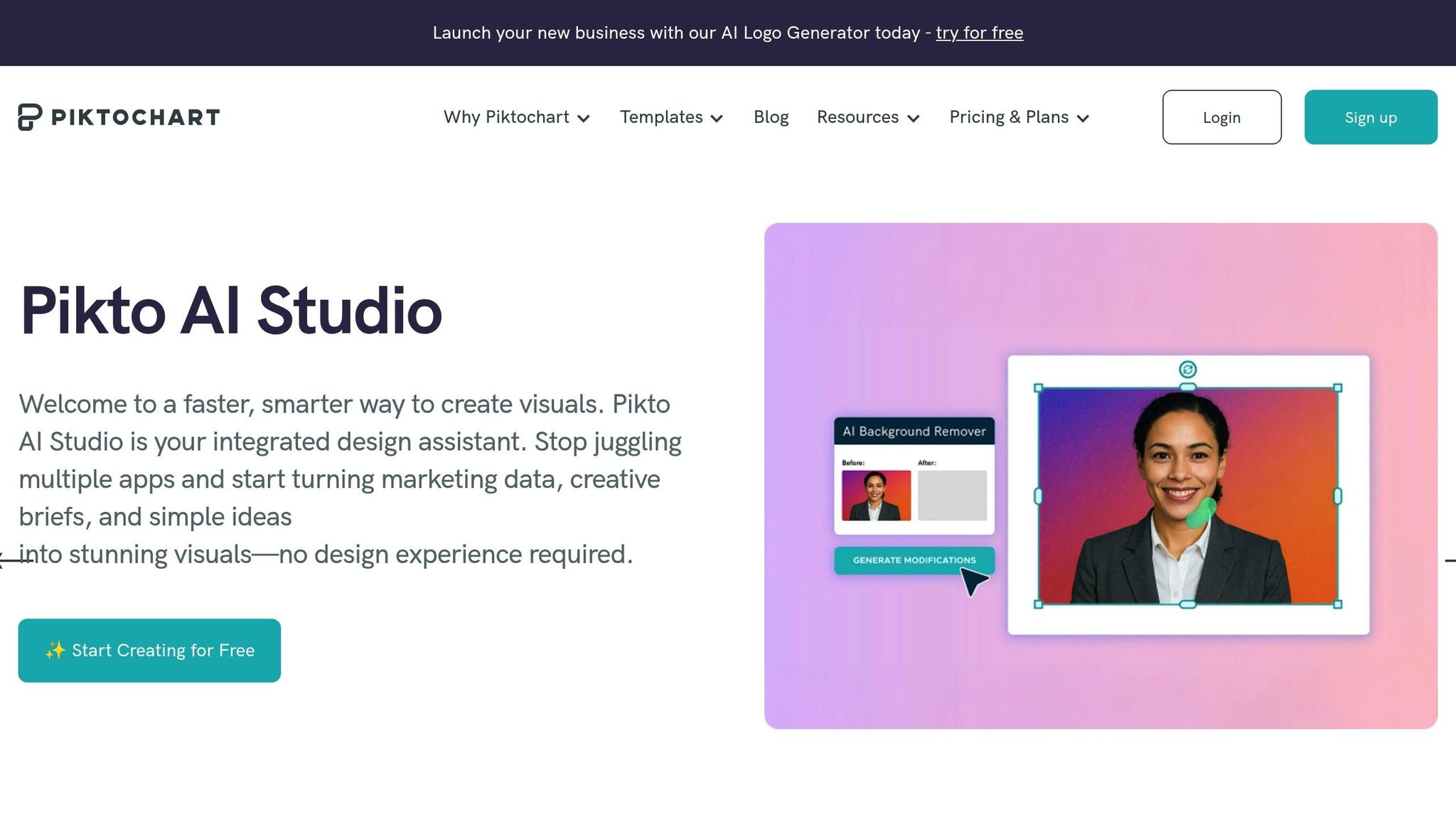
When your affiliate content relies on data, Piktochart is the perfect tool. It excels at transforming statistics into visually engaging infographics, comparison charts, and pricing tables. This makes it ideal for affiliate reviews where you need to showcase commission rates, conversion stats, or feature comparisons in a clear and concise way.
The platform’s intuitive interface ensures that even non-designers can create professional visuals. Exports are available in PNG, JPG, and PDF formats. Paid plans, ranging from $14 to $29 per month, offer better-quality exports and remove watermarks, making Piktochart an affordable option for affiliates who regularly produce data-heavy content.
Lumen5: AI-Based Video Creation

Lumen5 simplifies video creation by using AI to turn blog posts into social media-ready videos. Video content is an excellent way to complement static visuals in your campaigns. The platform automatically identifies key sentences from your content, pairs them with relevant stock footage or images, and arranges them in a storyboard-style editor. You can then tweak scenes, timings, and text overlays to fine-tune the final product.
Lumen5 allows for branding customization, including colors, fonts, and logos, and supports aspect ratio adjustments like 16:9 for YouTube or 9:16 for vertical formats like Instagram Reels or TikTok. While the free plan includes basic features and platform branding, paid tiers unlock higher resolutions, remove watermarks, and offer more customization options, making it easier to scale your video efforts as your campaigns grow.
Snappa: Quick Campaign Graphics
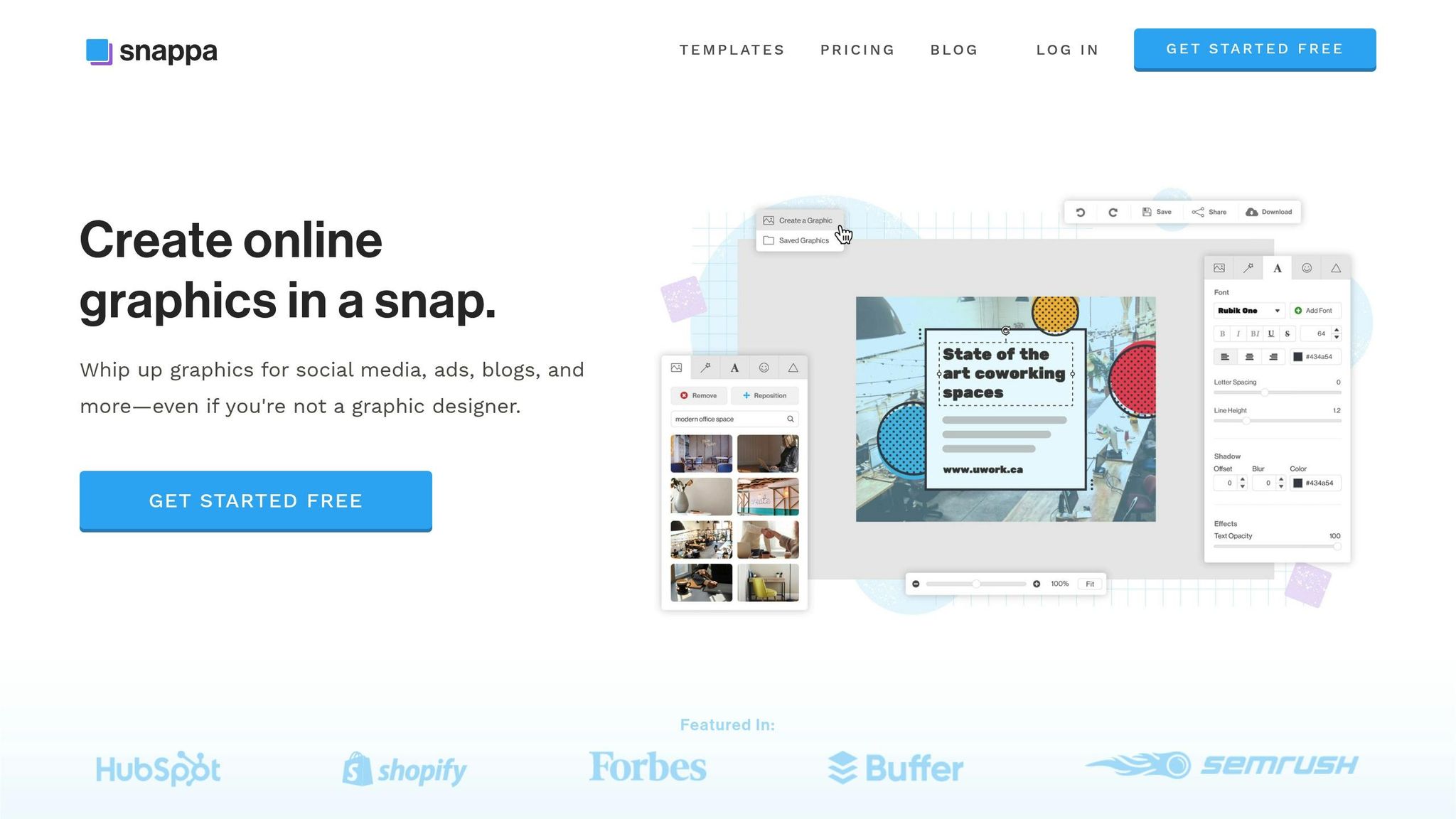
Snappa is perfect for marketers who need quick, polished visuals for campaigns. Its streamlined editor and ready-made templates are tailored for social media, blogs, and ads. With pre-sized canvases for platforms like Instagram and Facebook, Snappa eliminates the need for manual resizing, ensuring your visuals are formatted correctly from the start.
The tool’s stock photo library and ability to save and reuse designs make it easy to update your creatives by swapping out images, text, or colors. Snappa offers a free plan with limited monthly downloads, while Pro plans (ranging from $10 to $20 per month) provide unlimited downloads and access to a larger library of templates and stock photos. It’s a practical choice for both beginners and seasoned marketers who need to create or refresh campaign visuals quickly.
16 Must-Have Tools for Affiliate Marketers in 2025 | Best Affiliate Marketing Tools
sbb-itb-112c64b
Tool Combinations for Different Affiliate Marketers
Let’s explore some tailored tool combinations designed to meet the needs of different affiliate marketers, whether you’re just starting out or looking to level up your creative game.
Beginner-Friendly Stack
If you’re new to affiliate marketing and want to create eye-catching visuals, pairing Canva with Piktochart is a great starting point. Canva’s drag-and-drop interface and vast template library make it simple to design professional-quality banners, social media posts, and blog headers – even if you have no prior experience. Meanwhile, Piktochart helps transform affiliate data or product comparisons into visually appealing infographics.
The best part? Both tools have free versions, so you can test them out before upgrading. If you choose to go pro, Canva costs $14.99/month, and Piktochart Pro is $12.50/month, making this combo an affordable option for beginners.
Content-Focused Stack
For bloggers and content creators, a combination of Canva, Piktochart, and Lumen5 offers a seamless workflow for producing and repurposing content. Canva’s Brand Kit feature helps maintain consistent branding across blog headers and social media graphics, while Piktochart turns data – like commission rates or product details – into polished infographics. Lumen5 adds another layer by converting your blog posts into short, engaging videos optimized for platforms like YouTube, Instagram Reels, or TikTok.
This stack not only simplifies content creation but also ensures your work reaches multiple audiences. Expect to spend about $40.00 to $45.00 per month for these tools if you opt for their paid plans.
Advanced Design Stack
For experienced marketers handling more complex campaigns, the trio of Adobe Photoshop, Snappa, and Piktochart offers unmatched flexibility and precision. Photoshop allows for detailed, custom designs – perfect for creating high-end banners or intricate product composites. Snappa speeds up the process with pre-sized templates ideal for social media ads and quick campaign adjustments. Adding Piktochart ensures your performance reports and comparison charts look as professional as the rest of your visuals.
This advanced setup costs approximately $20.99/month for Photoshop, $10.00/month for Snappa, and $12.50/month for Piktochart Pro. Together, these tools provide a comprehensive solution for creating standout visuals across multiple platforms.
Conclusion
Choosing the right visual creation tools can make a noticeable difference in your affiliate marketing results. Eye-catching, professional visuals not only grab attention in crowded feeds but also communicate value instantly – helping you stand out and drive engagement. In fact, research shows that articles with relevant images get 94% more views than those without. Well-designed banners, infographics, and videos can stop the scroll and turn clicks into commissions when they appear polished and trustworthy.
The tools discussed here – from Canva’s easy-to-use templates to Adobe Photoshop’s advanced features – offer everything you need to create impactful visuals. Whether you’re whipping up quick social graphics, designing detailed infographics, or transforming blog posts into videos, there’s a tool to suit your needs. The key is to align your chosen tools with your specific goals and tasks.
Consistently using high-quality visuals does more than catch the eye – it builds trust and strengthens your brand’s credibility. By creating a simple brand kit with your logo, colors, and fonts, you ensure every graphic you produce reinforces your authority and makes your recommendations more convincing.
Of course, tools are just one piece of the puzzle. Once you’ve selected the right ones, it’s essential to use visuals strategically in your content and campaigns. For expert advice on optimizing images for SEO and placing them effectively in your affiliate funnel, check out Blogger Outline’s resources on this topic.
Start small by picking one or two tools from the list, creating templates for recurring needs, and testing different visuals to see how your audience responds. With the right visuals in place, you’re well on your way to boosting your affiliate revenue.
FAQs
What should I look for in a tool to create affiliate marketing visuals?
When selecting a tool to create affiliate visuals, start by considering how user-friendly it is and whether it offers enough customization options to align with your brand’s unique look and feel. Make sure the tool supports the specific types of visuals you need – whether that’s banners, infographics, or videos – and fits smoothly into your existing content creation process.
Budget is another important factor. Look for tools that deliver great results without stretching your finances. Most importantly, choose a solution that delivers sharp, professional visuals to grab attention and keep your audience engaged.
What’s the difference between Canva and Adobe Photoshop for affiliate marketers?
Canva is a go-to tool for anyone looking to create professional-looking visuals without breaking a sweat. With its intuitive drag-and-drop interface, it’s a favorite among affiliate marketers who need banners, infographics, or social media graphics – no advanced design skills required.
Adobe Photoshop, in contrast, is the heavyweight champion of design software. It offers unmatched editing power and precision, making it ideal for marketers tackling intricate, high-quality visuals. However, Photoshop’s flexibility comes with a catch: a steeper learning curve. It’s better suited for those with technical expertise or the patience to master its features.
Can these tools help create visuals for platforms like YouTube and Instagram?
Yes, these tools work great for crafting visuals specifically designed for platforms like YouTube and Instagram. Whether you’re working on banners, thumbnails, infographics, or even short videos, many of these tools come with customizable templates that match the unique needs of each platform.
You can tweak dimensions, styles, and formats to make sure your visuals not only fit perfectly but also grab attention in a professional way across various channels.